Table of Contents
YouTube banners are one of the first things people notice when visiting a channel. A clean banner immediately gives a channel a more professional appearance, while a poorly designed one can make even good content look unfinished.
Because of this, many creators study banners from successful YouTube channels for inspiration. Some users also save banners for design references, presentations, or branding research.
The problem is that most people still rely on screenshots.
Screenshots often reduce image quality, crop important sections, and create blurry results, especially on larger displays. They also fail to preserve the original resolution uploaded by the creator.
Fortunately, there are better ways to save YouTube banners without taking screenshots.
Why Screenshots Are a Poor Way to Save YouTube Banners
At first glance, screenshots seem convenient. Open the channel, capture the screen, and save the image.
But screenshots come with several limitations. Most banners are compressed differently depending on screen size and device type. A screenshot only captures what is currently visible instead of the original uploaded image.
This becomes especially noticeable on mobile devices where banners appear heavily cropped compared to desktop versions.
Creators researching channel branding usually need the original banner quality to study layouts, typography, spacing, and visual consistency more accurately.
Understanding How YouTube Banners Work
YouTube banners, also called channel art, display differently across desktops, tablets, TVs, and smartphones.
Google explains banner sizing and safe areas in its official YouTube channel art guidelines for creators.
Because YouTube dynamically changes visible banner areas depending on screen size, screenshots rarely capture the full artwork correctly.
That is why downloading the original image usually provides much cleaner results.
Google also explains how responsive delivery systems work in its official web caching documentation.
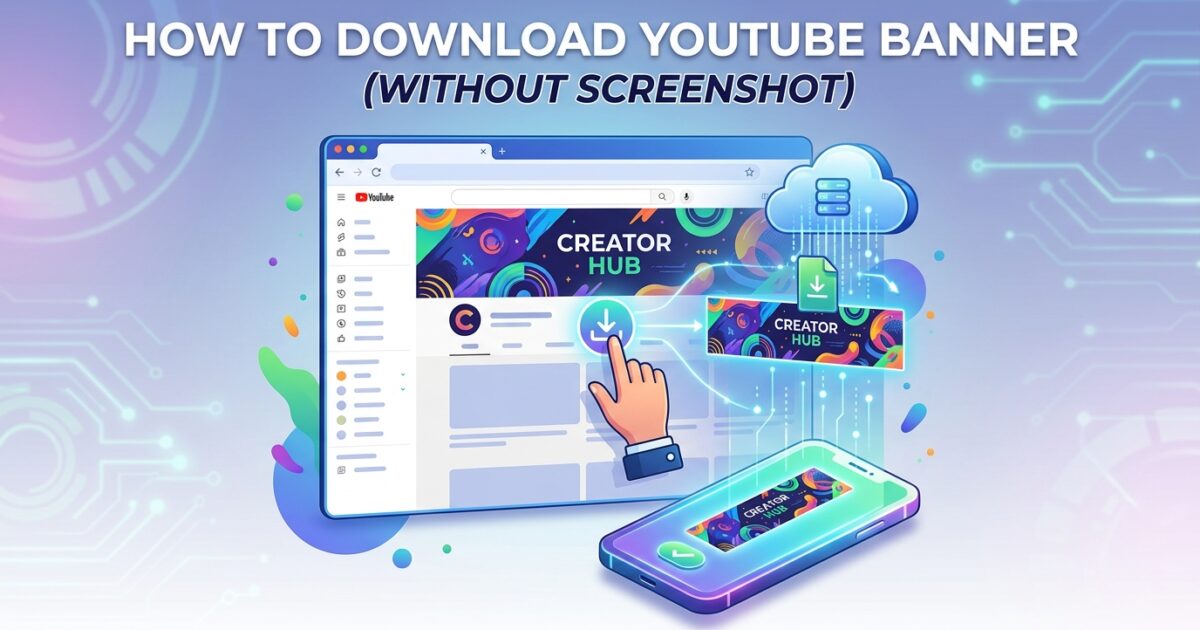
Method 1: Use a YouTube Banner Downloader
The easiest method is using a dedicated banner downloader.
A proper downloader extracts the publicly available channel art directly from YouTube instead of capturing the visible screen area.
You can use a YouTube Channel Banner Downloader to retrieve banners in better quality without taking screenshots.
This approach works especially well when studying branding layouts, creator identity, or channel redesign trends.
Method 2: Inspect the Banner Image Source
Some advanced users manually locate banner image files through browser inspection tools.
This method works on desktop browsers and gives direct access to image source URLs. However, it is less beginner-friendly because YouTube frequently changes its page structure.
For most people, using a dedicated downloader remains faster and easier.
Method 3: Save Banner Images From Cached Data
Older banner versions sometimes remain temporarily available inside cached browser data or archived search previews.
Researchers occasionally use cached versions to analyze how channel branding evolved over time, although this method is less reliable than direct banner downloads.
Why Banner Quality Matters
Banner quality matters more than many creators realize. Low-quality screenshots often hide important details like typography, spacing, social handles, upload schedules, and branding patterns.
High-resolution banners make it easier to study visual identity strategies used by successful creators.
Adobe has also published guidance about optimizing images for web quality, especially for large visual assets like banners and thumbnails.
Can You Download Any YouTube Banner?
Public YouTube channel banners are usually accessible because they appear openly on channel pages.
However, downloading a banner for inspiration is very different from copying someone else’s artwork commercially.
YouTube’s official copyright policies explain how visual content ownership works across the platform.
Mobile vs Desktop Banner Downloads
Many users notice that banners appear differently on mobile compared to desktop devices. This happens because YouTube dynamically adjusts visible safe areas depending on screen size.
Direct banner downloads preserve the larger source image instead of capturing only the visible mobile section.
Why Creators Analyze Other YouTube Banners
Successful creators often study competing channels to understand branding trends, color consistency, content positioning, and visual identity strategies.
Some creators also compare older channel activity while researching audience engagement patterns. In those situations, guides explaining how to find a comment you posted on YouTube years ago can become useful during broader channel research.
Other Useful YouTube Research Tools
Banner analysis is only one part of YouTube research.
Many creators also compare thumbnails, metadata, tags, and audience behavior patterns while studying channel growth.
For example, a YouTube Thumbnail Downloader can help creators compare thumbnail styles across different videos.
Metadata analysis matters too. Some creators use a YouTube Tag Extractor to study how older videos were optimized.
Common Problems When Downloading YouTube Banners
One common problem is low-quality downloads caused by saving preview images instead of the original banner source.
Another issue appears when browser extensions only capture visible sections rather than the complete banner artwork.
Users should also avoid suspicious third-party websites asking for unnecessary YouTube account permissions or login access.
The Role of Branding in Modern YouTube Growth
YouTube has become far more competitive in recent years, and branding now influences how viewers perceive channel quality almost instantly.
A strong banner improves professionalism, reinforces visual identity, and helps channels appear more trustworthy to first-time visitors.
Even channels with excellent videos can appear less polished when branding elements look outdated or inconsistent.
Final Thoughts
Downloading YouTube banners without screenshots is usually the better option for anyone who wants cleaner quality and more accurate image preservation.
Screenshots may work for quick references, but dedicated banner download methods provide far better results for branding analysis, design inspiration, and research purposes.
As YouTube continues evolving, visual branding remains one of the strongest first impressions a creator can make.
Frequently Asked Questions
Can I download a YouTube banner without taking a screenshot?
Yes. Banner downloader tools can retrieve the original channel art image directly instead of capturing the visible screen.
Why are screenshots blurry when saving YouTube banners?
Screenshots only capture the displayed version of the banner, which is often compressed or cropped depending on device size.
Is downloading a YouTube banner legal?
Downloading public banners for personal research or inspiration is generally allowed, but copying artwork commercially without permission may violate copyright rules.
Why does the YouTube banner look different on mobile?
YouTube dynamically crops banners for different screen sizes, which is why mobile devices usually display only the center safe area.
What is the best quality for a YouTube banner?
Creators typically upload high-resolution banner images so they appear clear across desktop, mobile, and TV screens.
Can I download banners from any public YouTube channel?
Most public channel banners can be viewed and downloaded because they are openly displayed on YouTube channel pages.