
YouTube Tag Extractor
Reveal the hidden SEO strategy behind any viral video using our YouTube Tag Extractor. Paste a video link to instantly extract and copy all meta tags to improve your own content's discoverability.
Why You Actually Need a YouTube Tag Extractor for SEO
Mostly creators spent lot of time on creating a video and post it on Youtube but didn't get any views? I totally get that. It's really frustrating when you believe your content is great but the algorithm appears to overlook it.. Here's the thing—it's usually not your video. It's the hidden metadata that's holding you back. And that's exactly where a solid YouTube Tag Extractor changes everything.
Honestly, a lot of people think tags are dead. You'll hear “just focus on the thumbnail and title!” Yes, those matter the most, but tags are far from useless. They still give the algorithm the subtle context it really needs to categorize your content, especially when covering topics with varying search intent or common misspellings. The real challenge? Competitors hide their tags. You used to have to dig through messy, weird page source code to find them. Now, you can just grab a link, hit a button and immediately see the blueprint behind any viral video.
Why Use This Tool?
We developed this YouTube Tag Extractor for creators to aligning their content with the YouTube algorithm. By identifying keywords and phrases used by successful competitors. By using those keywords you can optimize your own videos for greater reach and visibility. It is free, fast and provides metadata necessary for an effective SEO strategy.
Stop Guessing What Viewers Search For
Brainstorming keywords manually is a massive headache. You jot down three or four obvious phrases and hit a wall. Using a tag extractor fixes this almost immediately. When you drop a successful video's link into the tool, you aren't just getting random words. You're getting actual data on what real humans type into the search bar.
Let's say you're filming a setup guide for OBS Studio. You might have considered "OBS text tutorial" or "How to use OBS." However, a competitor attracting thousands of views may be targeting phrases such as "best OBS settings for low end PC 2026" or "how to fix OBS black screen." If you're not addressing those specific long-tail searches, you're losing a significant amount of traffic.
How to Extract Youtube Tags?
Follow steps below to extract youtube tags.
- Copy the YouTube Video URL or ID
- Paste it into the input box
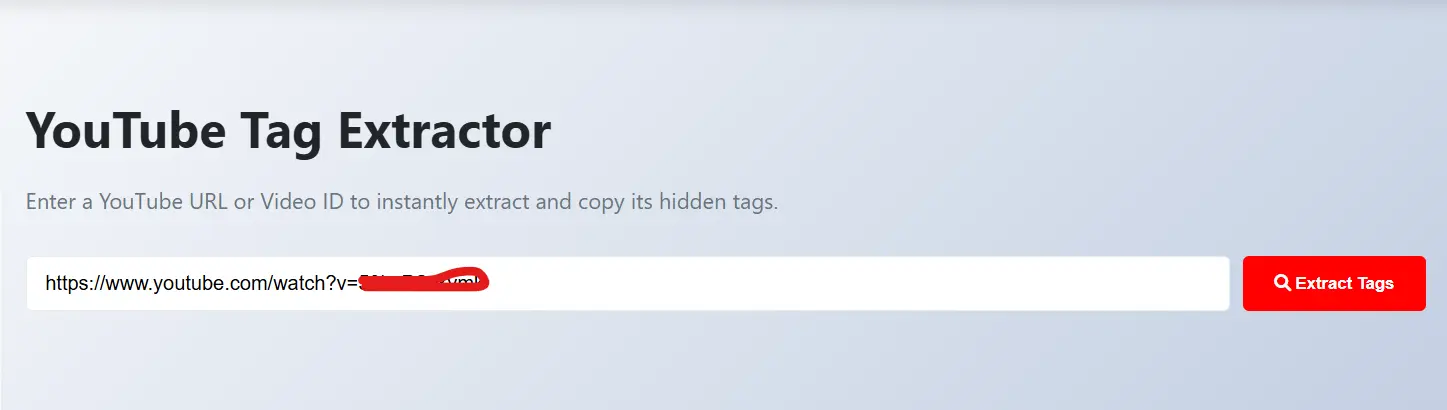
- Click "Extract Tags" to see hidden keywords
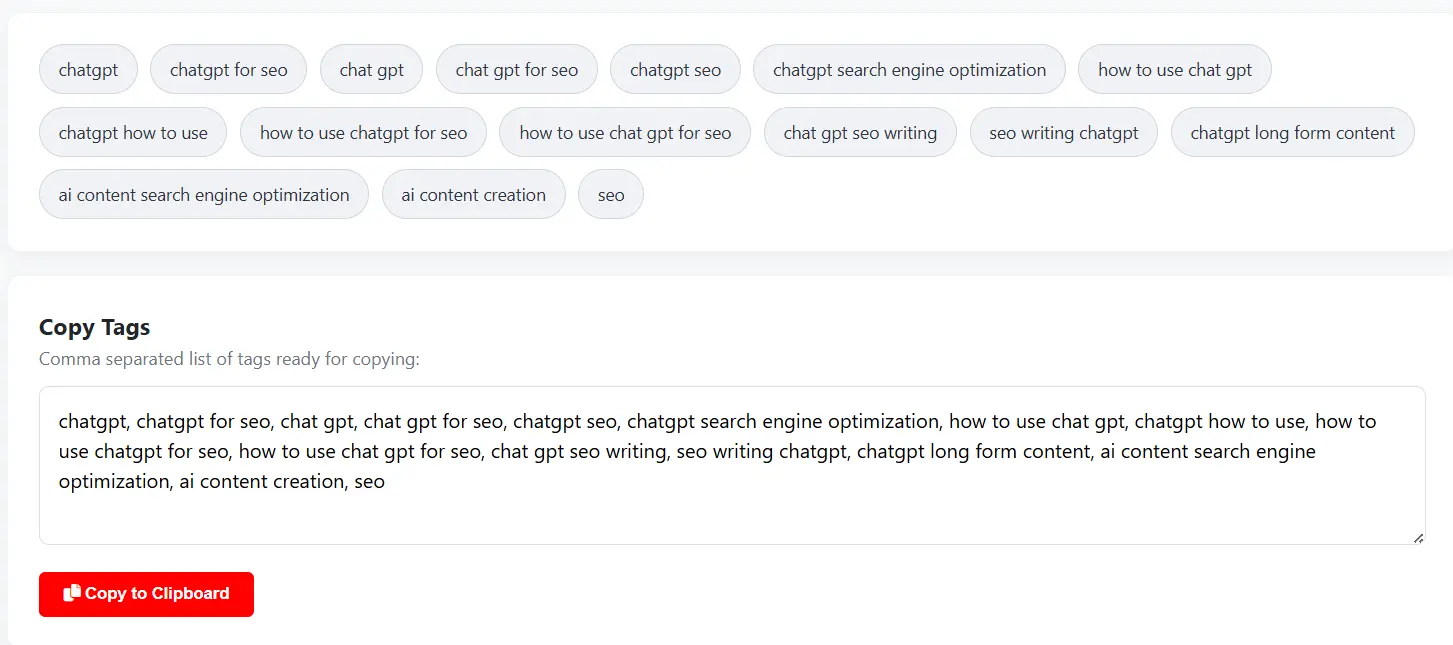
- Copy your favorite tags to the clipboard
How to Actually Use a Tag Extractor Effectively
I definitely wouldn't recommend just blindly copying exactly what top creators do. The algorithm is too smart for that now. If you snag 50 tags from MrBeast but your video is a 10-minute vlog about your cat, YouTube will figure out the disconnect and stop pushing your content entirely.
Instead, try this:
- Find 3 to 5 highly relevant, successful videos in your specific niche.
- Drop them into the YouTube Tag Extractor one by one.
- Look for overlapping patterns. Which long-tail phrases show up in all of them?
- Take the best, most relevant matches and weave them naturally into your own video's metadata.
Building a Complete Metadata Strategy
Tags alone won't magically make a terrible video go viral. It's a complete ecosystem. Once you extract the best keywords, you have to use them correctly. You should really be taking those exact findings and dropping them naturally into your video description. If you hate writing out long descriptions like I do, our YouTube Description Generator can do the heavy lifting for you based on the keywords you just found.
The same goes for your titles. A title with a high search volume keyword works wonders. Need ideas? Run your new tags through our YouTube Title Generator to find a headline that actually makes people want to click.
A Quick Reality Check on SEO Optimization
It always surprises me how many creators just guess their metadata and hope luck kicks in. You really need a structured approach. Using a tool to extract tags isn't "cheating"—it's literally just doing market research. It’s no different than a local business checking out what the store down the street is selling.
When you pair genuinely good storytelling with backend SEO data, your channel growth stops being a guessing game. By the way, if you’re also trying to understand click-through rates visually, studying competitor graphics is a huge advantage. You can grab their designs using the YouTube Thumbnail Downloader to see exactly how they format their text and imagery alongside those tags.
So, stop letting the algorithm guess what your video is about. Give it the exact keywords it wants and let the views start rolling in.
Frequently Asked Questions
Yes, our tool is 100% free. You can extract as many video tags as you want without any hidden costs or registration required.
Yes, as long as the video is public and the creator has included tags in the video metadata.
Absolutely. Using a tag extractor is a common SEO research practice. You are viewing publicly available metadata to understand content strategy.
Yes! You can use our YouTube Title Generator to turn your newfound keywords into high-CTR headlines.
No, there are no limits. You can fetch and extract tags for any public YouTube video as many times as you need.