
YouTube Description Generator
Draft professional, keyword-rich metadata in seconds with the YouTube Description Generator. Our tool creates SEO-optimized descriptions that target the algorithm while remaining engaging for your audience.
About YouTube Description Generator tool
Most creators treat the description box like an afterthought. They create video and tired so they type a couple of sentences and hit publish and that's completely understandable. But that description is literally how YouTube decides who to show your video leaving it with few sentence can reduce reach before the video even gets a chance.
This YouTube Description Generator takes the structural headache you just give your topic and it gives you a working draft. From there you just shape it into something that sounds like you.
Why Use This Tool?
We created this YouTube Description Generator to help creators to write high-ranking metadata. By using structured SEO templates our tool's generated description for your video is accurately categorized by the algorithm while still being engaging for actual viewers. It’s the quickest method to produce professional-quality descriptions that feature timestamps, calls-to-action and optimized keyword placement.
The First Few Lines Are Doing Heavy Lifting
People see those opening lines in search results before anyone clicks your video. That small preview about video description is either pulling people in or getting scrolled past. Openers like "welcome to my channel" don't do anything there. Something specific about what the video actually works a lot better.
Say you're uploading a video about budget travel in Japan. Your first line shouldn't be "today I'm sharing some travel tips."It should clearly inform people about what they will receive, such as the actual cost of the trip. Specific details are always better than general ones.
Structure Matters More Than People Think
A good description isn't just a paragraph of text. It usually has a clear opening, a short breakdown of what's covered, timestamps if the video runs long and something that gives people a reason to stick around or subscribe. Not a generic "subscribe for more" line either. Something that actually tells them what they'll get by staying.
How to Generate Youtube Description?
Follow steps below to generate youtube description.
- Enter your video title and target keywords
- Choose your video style and desired word count
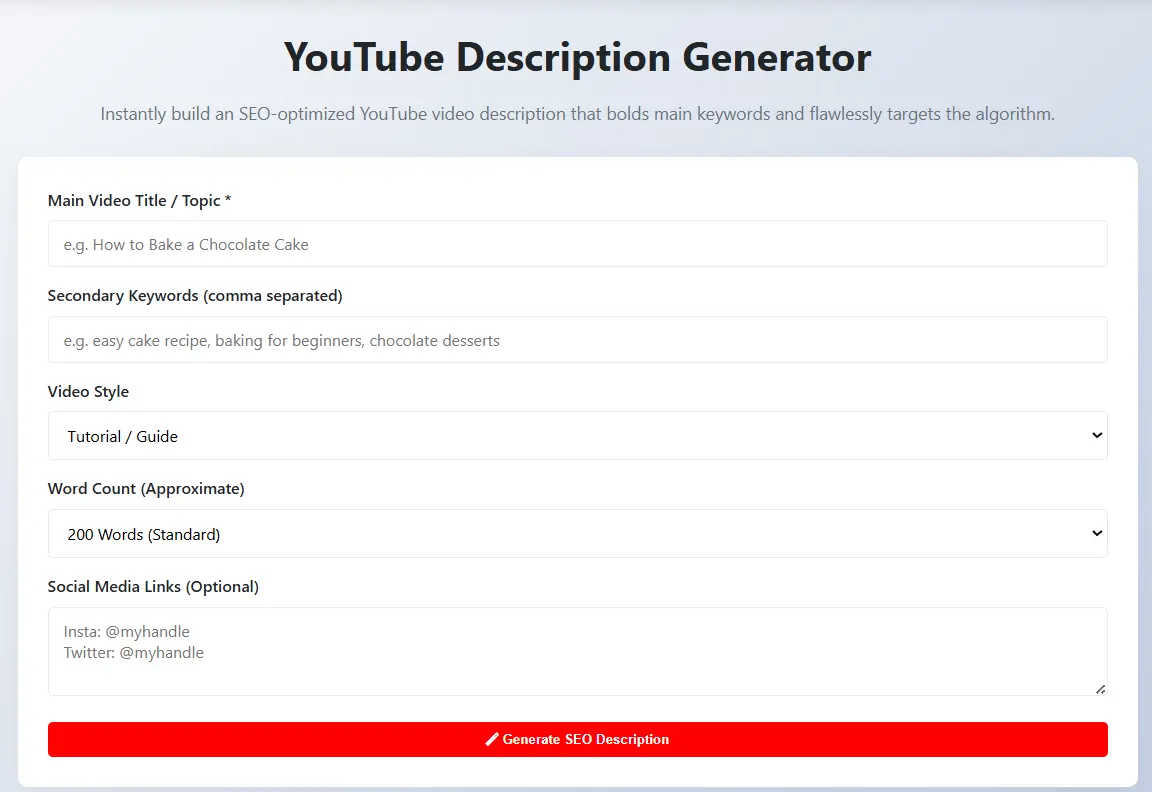
- Click "Generate SEO Description" to build your metadata
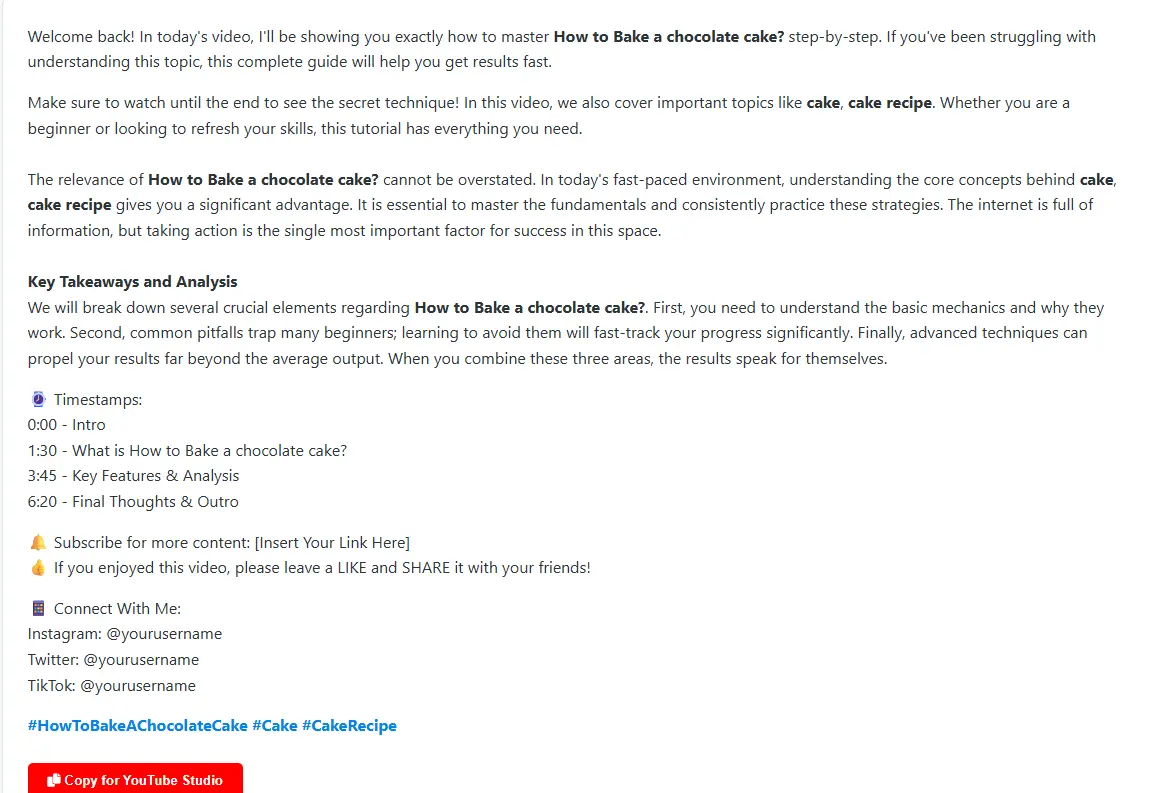
- Use the "Copy for YouTube Studio" button to grab the final text
Keywords Without the Weirdness
Stuffing keywords into every sentence makes writing stiff and readers notice. The goal is for the description to read naturally while still covering the terms people are actually searching for. That balance is tricky to get right manually especially after a long editing session. Letting the description generator handle the placement means you're not sitting there trying to squeeze "budget Japan travel tips" into every other sentence.
Once you have a draft, a quick pass through Grammarly before pasting into YouTube Studio catches anything that reads off. Small step but worth it.
It Connects to Everything Else
Your description works best when the title is already strong. If you're still figuring that part out, the YouTube Title Generator is worth using first. Nail the title and the description almost writes itself from there.
Tags are worth doing too. A lot of people skip them thinking they're irrelevant now, but top channels in most niches are still using them consistently. The YouTube Tag Extractor shows you exactly what's working for channels already ranking in your space.
Long Form Search Is Still Very Much Alive
Long form search is still very much alive despite what people say about Shorts taking over. A well written description keeps pulling in views long after upload day. Some videos get their biggest traffic months later just because the metadata was solid from the start.
Get the structure handled, make it sound human and let the content do the rest.
Frequently Asked Questions
Yes, our tool is 100% free. You can generate as many video descriptions as you want without any hidden costs or registration required.
Yes, we have templates for Tutorials, Reviews, Gaming and Vlogs to ensure your description matches your content style.
It is a perfect SEO foundation with correct structures. However, we recommend adding your personal touch to connect better with your audience.
You can list multiple comma-separated keywords and the tool will systematically bold them throughout the description for better search relevance.
Yes! For best results, use our YouTube Title Generator to create a high-CTR headline for your new description.