Table of Contents
Have you ever remembered posting a funny comment on a YouTube video years ago but had no idea where to find it now?
This happens more often than most people think. You may want to revisit an old discussion, edit a comment, remove something embarrassing, or simply find a video you interacted with long ago. The problem is that YouTube does not make old comment discovery very easy, especially if the comment was posted years back.
Many users assume their comments are gone forever. In reality, YouTube stores most public comment activity inside your account history unless the comment was deleted, the video was removed, or the channel owner disabled comments.
As of 2026, there are several reliable ways to track down old YouTube comments using built-in YouTube features, Google activity history, and specialized comment search tools.
This guide explains the safest and most effective methods without relying on unreliable browser tricks or outdated tutorials.
Why People Search for Old YouTube Comments
There are many reasons someone may want to locate a comment from years ago.
Some users are trying to find an old video they no longer remember. Others want to remove comments posted during their teenage years. Content creators often revisit old discussions to understand how their audience reacted to earlier content.
Researchers, journalists, and educators also analyze YouTube comments to study public discussions and online behavior.
Sometimes people simply want proof they interacted with a creator before they became famous.
Whatever the reason, YouTube comments form a large part of a user’s online history.
Method 1: Use YouTube Comment History
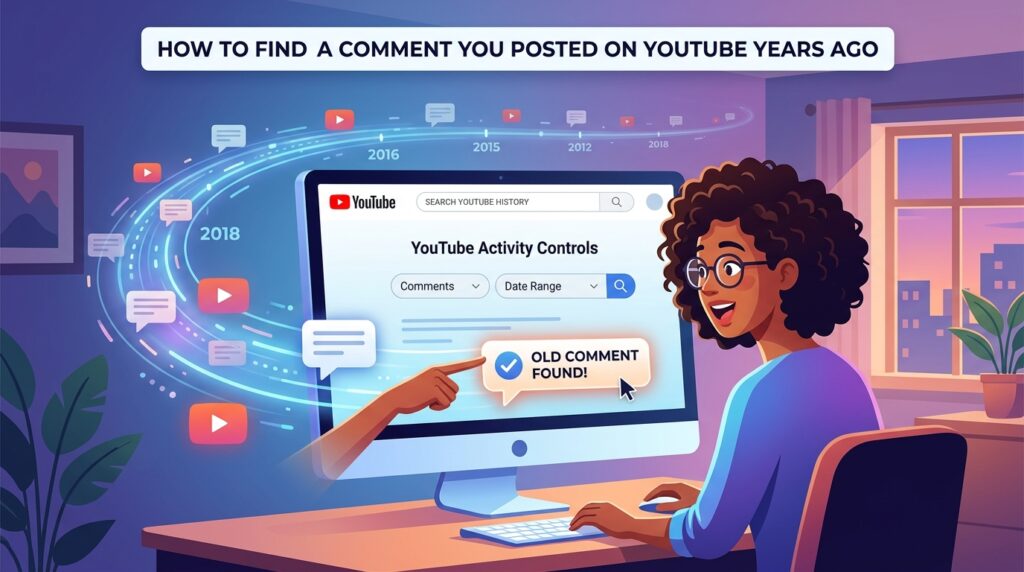
The easiest method is YouTube’s official comment history page.
YouTube stores comments linked to your Google account and allows users to browse previous activity. This feature works on desktop and mobile browsers.
Steps to Find Your Old YouTube Comments
Sign in to your YouTube account.
Open YouTube History.
Select “Comments” from the left-side menu.
Browse through your previous comments.
You can access it directly through YouTube’s official comment history page.
This page displays your previous comments, related videos, timestamps, and links back to the original discussion.
For many users, this is enough to recover comments posted years ago.
However, there are limitations. If you have posted thousands of comments over many years, manually searching through history can become slow.
That is where additional methods become useful.
Many creators who regularly analyze audience engagement also use a dedicated YouTube Comment Finder because searching manually through large discussions can quickly become frustrating.
Method 2: Use Google My Activity
Google stores a large amount of account activity through its My Activity system.
This includes YouTube watch history, searches, likes, and interactions connected to your Google account.
Google My Activity sometimes helps users recover videos connected to old comments, even when they cannot directly locate the exact comment.
How to Search YouTube Activity in Google
Visit Google My Activity.
Sign into the same Google account used for YouTube.
Use the search bar to enter video titles, creator names, YouTube keywords, or phrases you remember.
Filter results by date range if needed.
This approach works especially well if you remember part of the video title or know approximately when the interaction happened.
Method 3: Search Email Notifications
Older YouTube accounts sometimes received email notifications related to comment activity.
If notifications were enabled years ago, your inbox may still contain replies to comments, mentions, creator responses, or discussion notifications.
Search your email using phrases like “replied to your comment,” YouTube video titles, or creator channel names.
Gmail’s advanced filters can narrow searches by year or keyword. Google explains these filters in its official Gmail search operator guide.
This method is surprisingly effective for users who actively commented during earlier YouTube years.
Method 4: Use a YouTube Comment Finder Tool
When YouTube history becomes difficult to navigate, comment finder tools can save a huge amount of time.
A dedicated search system helps users locate comments using keywords, usernames, video URLs, creator names, or exact phrases.
If you only remember part of a comment, a search-based tool is usually much faster than scrolling manually through years of activity.
Many users prefer using a dedicated comment finder tool because it simplifies searching inside large discussions.
This becomes especially useful on videos containing thousands of comments where manual searching becomes nearly impossible.
Comment search tools are also valuable for creators researching audience reactions and engagement trends across older uploads.
Method 5: Search the Video Directly
If you remember the original video, you can search directly inside the comment section.
Open the video and use your browser’s built-in search function.
On Windows, press Ctrl + F.
On Mac, press Command + F.
Then search for your username, keywords from your comment, or unique phrases you remember writing.
This method works best on smaller videos with fewer comments.
On large viral uploads, YouTube dynamically loads comments, which can make searching slower and less reliable.
Why Some Old YouTube Comments Disappear
Not every old comment can be recovered.
Several situations may prevent older comments from appearing publicly.
If the original video was deleted, comments connected to that video often disappear as well.
Channel deletions can also remove associated discussions entirely.
YouTube sometimes removes comments automatically for spam, abuse, or policy violations. The platform explains these moderation systems in its official Community Guidelines documentation.
Another extremely common issue is account confusion. Many users accidentally search while logged into the wrong Google account.
Can You Recover Deleted YouTube Comments?
Usually, permanently deleted comments cannot be restored.
If you deleted the comment yourself, the creator removed it, or YouTube removed it for policy reasons, recovery is unlikely.
However, traces sometimes remain inside old email notifications, browser history, screenshots, or archived pages.
In some situations, replies to deleted comments may still appear in notification emails.
Tips for Managing Future YouTube Comments
Finding old comments becomes easier when users organize their online activity more carefully.
Saving important videos into playlists helps preserve access to discussions you may want later.
Keeping notification emails enabled also helps track future replies and interactions.
Using a consistent username across years of activity makes older comments easier to identify.
Researchers and creators sometimes archive valuable discussions using screenshots or saved URLs.
Why Comment Search Matters for Creators
Comment discovery is not only useful for casual viewers.
YouTube creators frequently revisit older comments to study audience reactions, identify recurring questions, and understand why certain videos performed better than others.
Comment analysis has become a legitimate audience research strategy for many creators and marketers.
Creators researching older uploads often revisit thumbnails to understand how presentation affected click-through rates. In those situations, a YouTube Thumbnail Downloader can help recover older thumbnail images for analysis.
Branding research matters too. Some creators compare previous channel designs using a YouTube Channel Banner Downloader to study how visual identity evolved over time.
Metadata optimization also plays a major role in video discovery. Many creators use a YouTube Tag Extractor to examine how successful videos were optimized when originally published.
Google has also discussed how recommendation systems and engagement signals influence discovery in its official YouTube recommendation documentation.
Creators analyzing older channel performance sometimes compare branding elements together, including thumbnails, titles, descriptions, and banner layouts, because visual consistency often affects audience trust over time.
The Growing Importance of Digital History
Online comments may feel temporary when posted, but they often become part of long-term digital history.
Many users are surprised to discover comments they wrote years earlier still exist publicly.
As digital platforms continue evolving, understanding how online activity is stored becomes increasingly important.
YouTube comments can reveal personal interests, online communities, cultural trends, audience behavior, and even how creator communities evolved over time.
For creators, marketers, and researchers, comment history has become valuable data.
For regular users, it is often a reminder of how long they have participated in online communities.
Final Thoughts
Finding a comment you posted on YouTube years ago is usually possible if the original content still exists.
The fastest method is YouTube’s official comment history page, but Google My Activity, email searches, and comment finder tools can also help recover older interactions.
The key is remembering as many details as possible, including video topics, creator names, keywords, and approximate dates.
As YouTube continues growing, locating historical interactions will likely become even more important for creators, researchers, and everyday users.
Fortunately, with the right approach, many old comments are still recoverable today.
Frequently Asked Questions
Can I see every comment I ever posted on YouTube?
YouTube usually stores comment history connected to your Google account, but deleted comments and removed videos may no longer appear.
How do I find old YouTube comments on mobile?
Open your browser and visit YouTube’s comment history section.
Sign into your account to view previous comments connected to your YouTube profile.
Why can’t I find my old YouTube comment?
The video may have been deleted, the comment removed, or you may be logged into the wrong Google account.
Can YouTube comments be permanently deleted?
Yes. Comments removed by users, creators, or YouTube moderation systems are usually unrecoverable.
Is there a tool to search YouTube comments faster?
Yes. Comment finder tools allow users to search comments using keywords, usernames, and video URLs.
Can I search YouTube comments by keyword?
Yes. Specialized YouTube comment search tools can help locate comments containing specific words or phrases.
Does Google store YouTube comment history?
Google stores some account activity through Google My Activity, which may help users locate older YouTube interactions.
Are YouTube comments public forever?
Public comments can remain visible for years unless removed manually, deleted with the video, or moderated by YouTube