
So you've got a playlist with hundreds of videos and you always end up watching the same ones. Yeah, I know that feeling. The YouTube Playlist Randomizer fixes exactly that. Paste your playlist link, hit randomize, done.
No account. No extension. No drama.
When I first tested the youtube randomizer playlist, I didn’t expect it to become something people would actually use daily, but the problem it solves is more common than it looks.
Why I Built This YouTube Playlist Randomizer
It came from something really mundane. I had a playlist I'd been building for about a year, a mix of tutorials, music, and random documentaries I kept saving for “later.”
Classic situation where later never comes.
Every time I opened it, I’d either watch something from the top or search for a video I already knew. Everything else just stayed untouched. The same thing happened with my music playlist. Around 400 songs, but I’d still end up hearing the same 20 or 30.
I asked a few people and realized it wasn’t just me. A friend who teaches online said her students do the same thing with lecture playlists. They start from the beginning, maybe jump to something specific, but almost never explore the middle. That’s where the real content usually sits.
That’s also where the idea of a better youtube randomize playlist experience made sense.
So I built this tool. Not because nothing existed, but because I wanted something fast, simple, and without login walls or setup steps.
How youtube randomize playlist Works
Nothing complicated here.
Here is how the YouTube Playlist Random works.
You copy your playlist URL from YouTube, paste it into the box on this page, and hit the randomize button. The tool picks a video from the playlist and shows it instantly.
If you don’t like it, you can randomize again until something feels right.
You can watch it directly on this page or open it on YouTube. That choice is yours.
That’s it. No signups. No permissions. No extra steps.
Some people also refer to this as a youtube playlist random tool because it simply reshuffles how you experience the same playlist.
Features Worth Knowing About
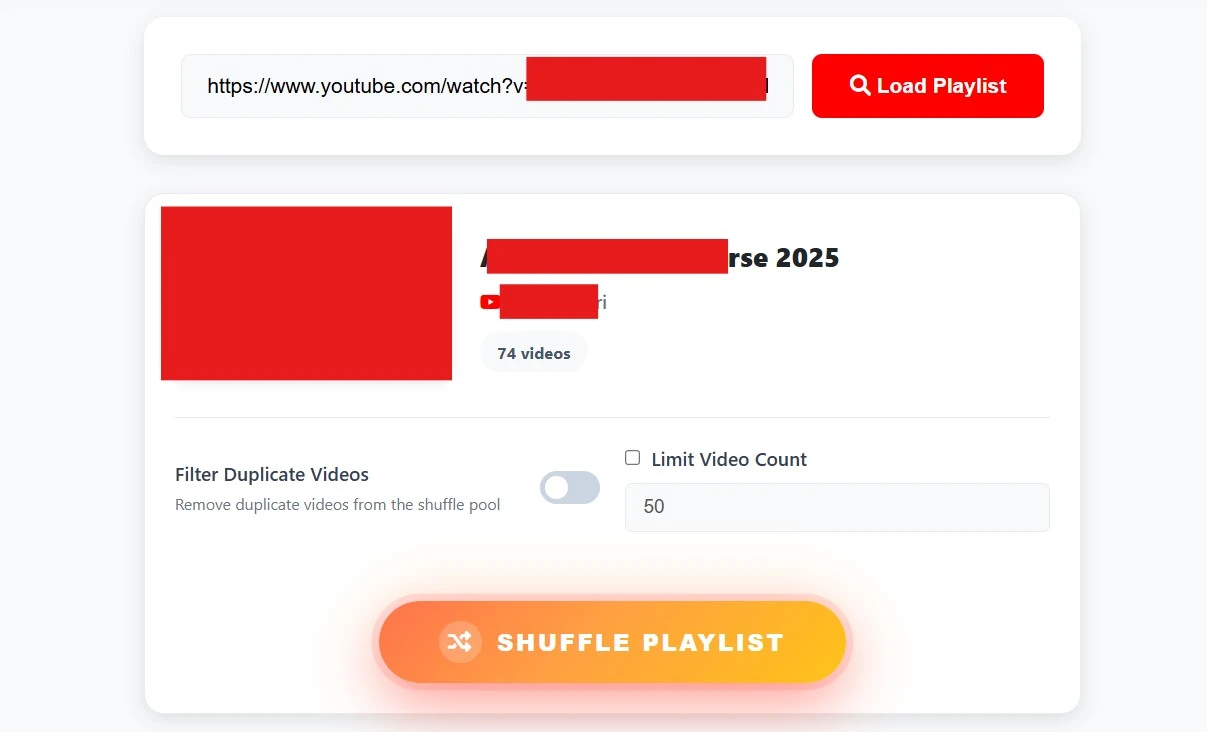
I’ll keep this simple because nobody wants marketing talk.
- No login required. The tool doesn’t ask for Google or YouTube access. It only works with the public playlist link you provide.
- No installation needed. It runs directly in your browser whether you're on mobile, desktop, or tablet.
- It’s fast. Paste the link, get results instantly, no waiting screens.
- Works with any public playlist. Music, tutorials, gaming, lectures, or mixed content.
- Completely free. No locked features or hidden paywalls.
Even people searching for a youtube playlist random tool usually end up here because it keeps things straightforward.
Real Testing Experience
Before launching, I tested it properly with real playlists.
Not small ones either. I used playlists ranging from 100 to 500 videos to see if the randomization actually spread across the full list instead of repeating patterns.
That matters more than people think because smaller playlists always look random. Larger ones expose weak logic quickly.
I also tested messy real-world playlists. One had coding tutorials, lo-fi music, tech reviews, and cooking videos all mixed together. It handled everything without issues.
During testing, I noticed something important. Playlists often include deleted or private videos that still count in the total length. The tool skips them and continues without breaking the flow.
That kind of behavior only comes from real testing, not theory.
Who This Is Actually For
Honestly, more people than I expected.
Music listeners use it the most. When a playlist grows too big, you stop discovering new songs and just repeat the same ones. Randomizing fixes that.
Students use it for learning playlists. Instead of always starting from lesson one, they get exposure to different parts of the course.
Teachers sometimes use playlist sharing differently, where order doesn’t matter as much as coverage.
Creators use it for exploring content libraries or reviewing older uploads in a fresh way.
And regular users just use it when they don’t want to think too much and want something random to play.
Why Watching on This Page Helps
Sometimes a random video from a long playlist doesn’t immediately look familiar. You might not know if it’s worth opening in a new tab.
That’s why this tool also lets you watch directly on the page.
You can preview the video first, then decide if you want to continue on YouTube or skip and randomize again.
On mobile especially, this saves a lot of switching between apps and tabs.
Some users skip the preview completely and go straight to YouTube. Both options work fine.
This flexibility is what makes the experience smoother.
Final Thoughts
The YouTube Playlist Randomizer isn’t trying to change how YouTube works. It just gives you another way to experience playlists when the normal order starts feeling repetitive.
If your playlist has been sitting there untouched or you always end up watching the same few videos, try randomizing it once.
You might end up rediscovering something you saved a long time ago and forgot about completely.